
PressReader: News & Magazines
PressReader Inc.News & Magazines
4.7805.00 Reviews
- Version
- 7.5.260731
- Installs
- 10.00M
- Age Rating
- Teen
Screenshots
Our Review of PressReader: News & Magazines
 Analysis by Appyee
In a shared home, a reading app can become the family’s spare newsstand: one person checks a hometown paper at breakfast, another browses a magazine after work, and someone else looks for coverage from a country they care about. PressReader: News & Magazines is built around a broad mix of publications, so it can suit a household whose members have different reading habits better than an app focused on a single newspaper. I’ve taken it for a spin, and the main thing I’d keep in mind is that a large library is most useful when everyone has a clear idea of what they want to read.
One device, several reading routines
Picture a tablet on the kitchen counter: one person opens a newspaper while coffee brews, then another picks it up later to browse a magazine. PressReader’s publication-style presentation makes that sort of casual handoff feel more natural than passing around a feed of short headlines. The person who wants to read a complete issue can do that, while someone with only a few minutes can dip into selected stories or save an item to return to later.
That shared-device convenience has a trade-off. A household should not assume that one person’s choices, saved stories, or account access will neatly fit everyone else’s needs. Before making the app a common fixture, I’d decide whose account is being used and whether everyone is comfortable seeing the same reading environment. If different people prefer separate reading histories or personalized selections, using their own devices and accounts is a cleaner arrangement than treating one login as a family profile.
Set expectations before reading together
On a device that moves between people, I’d make a simple routine: finish reading, return to a neutral screen, and avoid leaving an account open for the next person. This is ordinary shared-device housekeeping, not a special family-control feature. It helps keep personal reading choices private and reduces confusion about who saved or opened a story.
It is also worth agreeing on what “sharing” means in your household. Passing a tablet around to read on one person’s session is different from assuming several people have separate profiles or independent access. I’d check the account and subscription terms that appear in the app before relying on a shared arrangement, especially if several household members expect to read at the same time. The practical question is not only whether the library looks broad, but whether the way your home plans to use it matches the access available to you.
Coordinate reading without turning it into a chore
The app’s social options, including sharing articles and bookmarking stories, can be useful when the goal is to pass along one piece of coverage rather than ask everyone to browse the same issue. For example, I might send a relative an article about a local development and let them decide when to read it. That is more focused than telling them to search through a large catalogue, and it leaves room for each person to follow their own interests.
For a household that likes discussing current events, a low-effort system works better than trying to coordinate every story: one person can share a particularly useful article, while each reader keeps their own list of things to revisit. Bookmarks are handy for personal follow-up, but I would not treat them as a shared family reading list unless everyone has confirmed how the app’s account setup handles that. A little clarity prevents the common problem of confusing one person’s saved items with another person’s.
Age, trust, and what the label means
PressReader is rated for Teen audiences, which gives parents and caregivers a useful starting point, not a substitute for knowing the publications a young reader is opening. A catalogue that spans newspapers and magazines can cover many subjects and editorial styles. I’d look at the specific titles and stories that interest a teenager rather than assume that every item will suit every age or household preference.
For younger readers, I’d keep the first sessions collaborative: browse together, talk about how different publications frame a story, and explain that a headline is only one part of the reporting. That makes the app more valuable as a way to compare perspectives instead of simply consuming a stream of articles. If a caregiver wants tightly curated children’s content or built-in family monitoring, a dedicated service designed for that purpose may be a better fit.
Who gets the most from a broad library
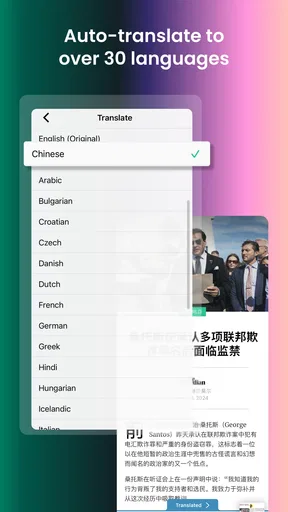
The strongest match is a reader who enjoys browsing across titles, follows more than one region, or likes the feel of reading a full newspaper or magazine rather than a headline feed. It can also be useful for someone learning a language: reading familiar topics in another language gives context, although the difficulty and style will vary from publication to publication. Travelers may appreciate being able to explore coverage from home and from places they are following, while offline downloads can help when a connection is unreliable.
On the other hand, if you only want breaking alerts from a few sources, a focused news app may be quicker and less distracting. If you mainly read one publication, its own app may offer a more direct route to that title. PressReader’s advantage is breadth; the same breadth can feel like extra work if you already know exactly what you want and rarely explore beyond it.
Small habits that make browsing more useful
I’d start by choosing a few subjects and publications that genuinely matter, rather than trying to sample everything at once. A wide catalogue can create a paradox of choice: you open the app intending to read and spend the session deciding what to read. A short personal shortlist and bookmarks for stories worth revisiting make the library easier to use without turning browsing into a daily project.
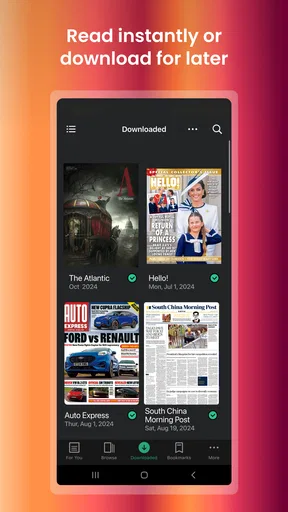
Offline reading is most helpful when planned ahead. If I know I’ll be commuting or traveling, I’d download the publications I expect to read while connected, then check that they are ready before leaving. This avoids relying on a weak connection at the moment I want to open an issue. Listening to articles is another practical option when my hands are occupied, though it serves a different purpose from settling in with the layout of a magazine or newspaper.
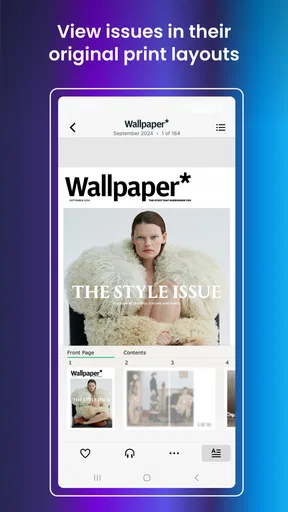
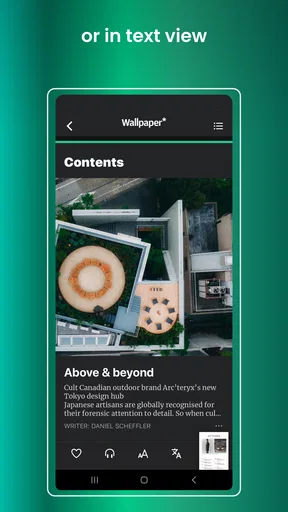
There is also a choice between reading an issue as it was designed and using a more streamlined text view. The page-like experience is part of the appeal for magazine readers, while a reflowed presentation can be easier when I want to focus on the words on a smaller screen. I’d switch modes based on the publication and the moment rather than expect one format to work equally well for every title.
Cost and expectations
The app is free to install, but access to publications can involve paid options; in-app purchases range from $0.49 to $209.00 per item. That is a broad spread, so I would check the exact offer shown for the title or access plan I’m considering rather than assume that installing the app unlocks everything. PressReader is rated 4.6 from around 41,000 ratings, but a strong overall score cannot tell me whether the publications I personally want are included in the arrangement I choose.
The app has more than 10 million installs and is developed by PressReader Inc. Its current Android version is 7.3.260203, and the minimum Android requirement is 7.0. Those details matter most if you are installing it on an older household device: check compatibility before planning to use a spare phone or tablet as a shared reader. The release date is Jan 10, 2011, which also means this is an established app rather than a new experiment, though I’d still judge it by how well it fits my current reading habits.
What PressReader feels like in everyday use
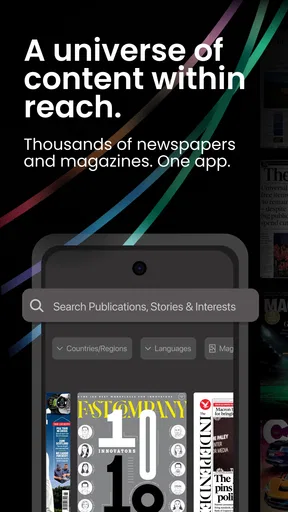
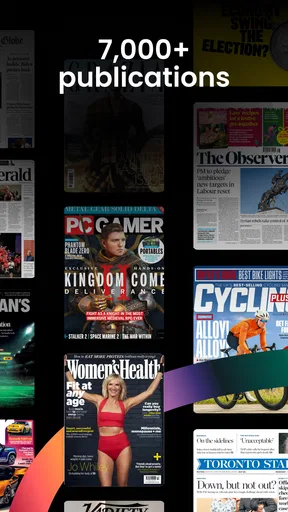
PressReader is like having a newsstand in your pocket. Imagine having access to thousands of newspapers and magazines from all over the world, right on your device. It’s a pretty neat concept, right? The app is available on both Android and iOS, making it super accessible for just about everyone.
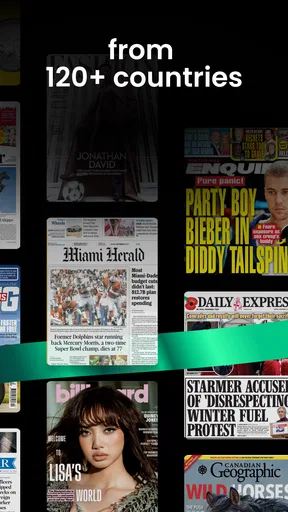
Once you jump into the app, you’ll be greeted with an impressively sleek interface. It’s intuitive, so whether you’re a tech whiz or just someone who scrolls through Facebook, navigating around won’t be a hassle. The app lets you read publications from more than 100 countries in over 60 languages. So, if you’re a traveler or just someone who likes to keep up with international news, this app is like hitting the jackpot.
Diving Into Features
Let’s talk features because, honestly, that’s where PressReader shines. You can download publications for offline reading, which is a lifesaver if you’re about to hop on a flight or venture into a Wi-Fi-less zone. The app also allows you to listen to articles, which is perfect for multitaskers who prefer to keep their hands free.
One feature I love is the "SmartFlow" technology, which makes reading a digital publication feel like flipping through a magazine. It’s designed to make your reading experience seamless and enjoyable. Plus, you can customize your feed with topics you love, making sure you never miss out on the stuff that matters to you.
Getting Social
PressReader isn’t just about consuming content; it’s about engaging with it. You can share articles with friends, comment on stories, and even follow other users. It’s like social media but with a focus on news and content that enriches your mind. You can also bookmark stories to come back to later, making it easy to keep track of all the interesting tidbits you find.
Worth the Investment?
Now, you might be wondering about the cost. While PressReader offers a free trial, it does have a subscription model. Considering the extensive library of publications, it’s a pretty sweet deal if you’re a news junkie or a magazine aficionado. You can also access certain publications for free through sponsored hotspots at cafes, hotels, and libraries.
The app is continuously updated, and it shows. It’s clear that the developers are committed to providing a top-notch experience. The user feedback is generally positive, with many appreciating the seamless integration of content across devices.
Who I’d recommend it to
My household verdict is positive if the people using it enjoy different publications and are happy to browse rather than stick to one source. The breadth can make it a useful shared resource, but I would not buy into it on the assumption that one subscription automatically solves every person’s access needs. Check the options, agree on how the device will be used, and treat the app as a reading library rather than a family-control system.
For me, the best reason to try PressReader is the chance to move between complete publications and individual stories in one place. Its main compromise is that breadth asks for a little curation, and the cost of access deserves a careful look before anyone commits. If you want a focused alert service, a single-title app may suit you better; if you enjoy exploring newspapers and magazines from different places, this is a more rewarding fit.
Wrapping It Up
So, is PressReader: News & Magazines worth downloading? If you ask me, it’s a resounding yes. Whether you’re a casual reader or someone who devours content on a daily basis, this app caters to all. The ability to access a global range of publications is a game-changer, and the user-friendly features make it a joy to use.
If you’re looking to stay informed and entertained, give PressReader a try. It’s like having the world’s newsstand at your fingertips, and who wouldn’t want that?
Verdict
Strengths of PressReader: News & Magazines
- Vast selection of global publications.
- User-friendly interface with easy navigation.
- Offline reading for convenience.
- Customizable reading preferences.
- Seamless syncing across devices.
Limitations of PressReader: News & Magazines
- Limited access without subscription.
- Occasional slow loading times.
- Ads present in free version.
- Some publications not available.
- Requires regular updates for new content.
Similar Picks in This Category
View All
Google News - Daily Headlines
Google LLC4.0

X
X Corp.4.8

Flipboard:Your Social Magazine
Flipboard3.4

Opera News: breaking & local
Opera4.5

Hindi News by Dainik Bhaskar
Dainik Bhaskar Group4.0

Way2News Daily News App
Way2News ( Formerly Way2SMS )4.6
Frequently Asked Questions
What is PressReader and how does it work?
PressReader is a digital platform that provides access to thousands of newspapers and magazines from around the world. Users can read or download publications for offline reading. The app offers a user-friendly interface where you can browse by category or search for specific titles, ensuring you stay informed on global news and topics of interest.
Is PressReader free to use, or are there subscription fees involved?
PressReader offers a mix of free and paid content. While some publications are available for free, others require a subscription or a one-time purchase. The app may also offer free access through certain partnerships with libraries or hotels, allowing you to enjoy premium content without additional costs.
On which devices can I use PressReader?
PressReader is available on both Android and iOS devices, making it accessible on smartphones and tablets. It also has a web version for use on computers. The app is designed to provide a seamless experience across all platforms, ensuring you can read your favorite publications anytime, anywhere.
Can I customize my reading experience on PressReader?
Yes, PressReader offers several customization options to enhance your reading experience. You can adjust font sizes, switch to night mode, and create bookmarks for easy access. Additionally, the app allows you to personalize your feed by selecting preferred categories and publications, ensuring content is tailored to your interests.
Does PressReader support offline reading?
PressReader supports offline reading, allowing you to download newspapers and magazines to your device. This feature is particularly useful for users who travel frequently or have limited internet access. Simply download your desired content while online, and you can enjoy it later without an internet connection.
